


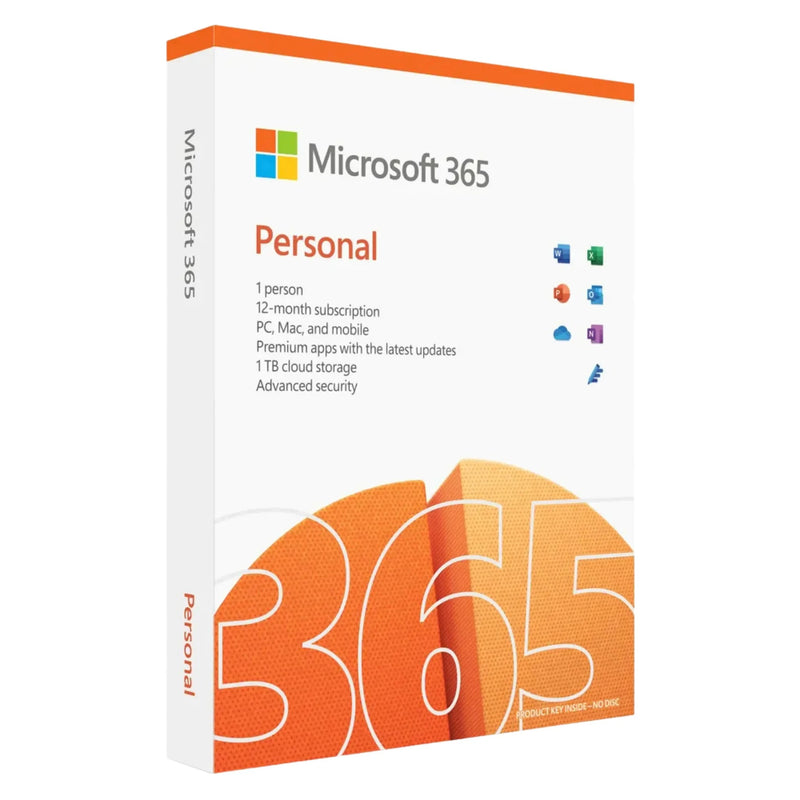


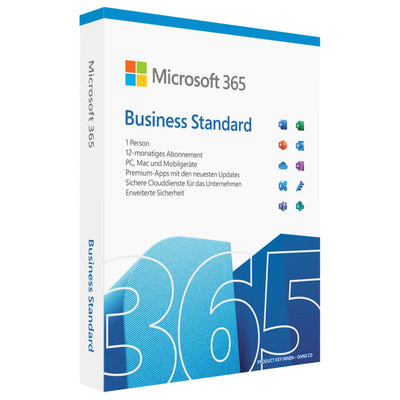
Microsoft 365 Single (formerly Personal) – 1-Year Subscription | Office Apps + Copilot AI + 1 TB OneDrive | 1 Person, 5 Devices
239,90 €
✔ Product key instantly via email
✔ Support guarantee on activation


Buy together
This bundle deal is still available today:
13
HRS
41
MIN
47
SEC
Microsoft 365 Single (formerly Personal) – 1-Year Subscription | Office Apps + Copilot AI + 1 TB OneDrive | 1 Person, 5 Devices
239,90 €
- Availability
- Instantly by e-mail after payment
- Right of withdrawal
- 14 days (statutory)
- Applications
-


- Customer service
- English · daily 8 am–11 pm
- Invoice
- With VAT shown separately


- Brand
- Microsoft
- Download guide
- included in the confirmation email
- Microsoft Partner Center
- Registered · Partner-ID 7018124
- Platform
- Windows · MacOS · iOS · Android
- Language
- German · Multilingual
- Article number
- 066635
Choose a product
Error – please try again
No products found
Microsoft 365 Single (formerly Personal)
Buy Microsoft 365 Single – 1-year subscription with Office apps, Copilot AI and 1 TB OneDrive for 1 person and 5 devices
Microsoft 365 Single (formerly Microsoft 365 Personal) is the official annual subscription for one person who uses Office on up to five devices. With Word, Excel, PowerPoint, Outlook and OneNote in their respective latest premium versions, integrated Microsoft Copilot, 1 TB of OneDrive cloud storage, Microsoft Defender, Designer and Clipchamp.
Instant delivery of the 25-character activation key by email after payment is received. Includes a German step-by-step activation guide via microsoft365.com/setup and a proper invoice with itemised 19% VAT.
At Karinex you receive German-language support and full cost control: this subscription does not renew automatically – after the 12 months expire, you decide for yourself whether to renew.
Important: Notes on the subscription model
Microsoft 365 Single is an annual subscription (12 months), not a one-time purchase. After the term expires, the editing function of the Office apps ends; however, existing documents remain accessible as read-only documents. This subscription from Karinex includes no automatic renewal – you retain full cost control and decide again after 12 months whether to renew.
After the subscription expires, the OneDrive cloud storage is reduced within Microsoft to the 5 GB free allowance. If you have stored more than 5 GB, you must download your files in good time or take out a new subscription to retain full access.
If you prefer a one-time purchase version without recurring costs, you will find versions without a subscription in our Office collection such as Office 2021 Home & Student or Office 2024 Professional Plus.
Product type
Subscription, 12 months
Platform
Windows, macOS, iOS, Android
People / Devices
1 person, 5 devices
Delivery
Instantly by email
Note on the product type
This item is a 12-month subscription to Microsoft 365 Single (formerly Microsoft 365 Personal, Microsoft manufacturer number QQ2-00012, ESD variant). Activation takes place online via your personal Microsoft account at microsoft365.com/setup. This subscription is not tied to hardware and can be used on up to five devices simultaneously (PC, Mac, tablet, smartphone). Microsoft provides direct end-customer support for Microsoft 365; Karinex additionally supports you in German with activation and setup. The right of withdrawal of 14 days applies from conclusion of the contract, even after the key has been delivered.
Why buy Microsoft 365 Single at Karinex
01
Microsoft activation key – activatable via microsoft365.com/setup, tied to your Microsoft account.
02
Instant delivery in under 5 minutes – activation key by email directly after payment is received.
03
No automatic renewal – after 12 months you decide again. Full cost control, no subscription-trap risk.
04
5 devices simultaneously – PC, Mac, tablet, smartphone. One person, all devices.
05
German-language Karinex support with activation and setup – by phone, email, WhatsApp and live chat.
06
Proper invoice with 19% VAT – tax-deductible for the self-employed and students.
What's included with your Microsoft 365 Single
01
25-character activation key for Microsoft 365 Single, digital delivery by email
02
Step-by-step activation guide in German for microsoft365.com/setup
03
Direct download of the Office apps via your Microsoft account (Word, Excel, PowerPoint, Outlook, OneNote)
04
1 TB OneDrive cloud storage – available for 12 months from activation
05
Proper invoice with itemised 19% VAT, tax-deductible
06
German-language Karinex support with activation and setup
There is no physical delivery. You will not receive a DVD, packaging material or a product box.
What sets Microsoft 365 Single apart
Microsoft 365 Single offers the complete premium Office apps with Copilot AI, bundled with cloud storage, security and creative tools – the most comprehensive Office solution for one person.
Word
Premium word processing with Microsoft Editor and Copilot AI support
Excel
Spreadsheets with data analysis tools, Power Query and Copilot
PowerPoint
Presentations with Designer, design suggestions and Copilot
Outlook
Ad-free email management, calendar, contacts and tasks
OneNote
Digital notebook for text, sketches and research
OneDrive
1 TB of cloud storage for files, photos and backups
Microsoft Copilot
AI chat in Word, Excel, PowerPoint, Outlook and OneNote
Microsoft Defender
Cross-platform protection against malware and phishing
Microsoft Designer
AI-powered image and design creation
Clipchamp
Video editing with templates, effects and AI features
Microsoft Editor
Advanced spelling, grammar and style checking
Skype minutes
60 free minutes per month for calls to landlines worldwide
Microsoft 365 editions compared
Which Microsoft 365 subscription suits your use case?
Microsoft 365 Single
For 1 person with 5 devices – Office apps, Copilot, 1 TB OneDrive, Defender, Designer, Clipchamp
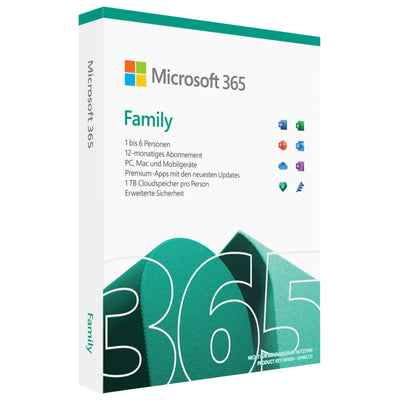
Microsoft 365 Family
For up to 6 people with 5 devices each – every person with their own 1 TB OneDrive (6 TB in total)
Microsoft 365 Premium
Extended range of features with additional AI functions and a higher Copilot allowance
One-time purchase without recurring costs – without cloud storage and without automatic updates to new major versions
Affordable one-time purchase for 1 PC with Word, Excel, PowerPoint and OneNote – without Outlook and without cloud
System requirements for Microsoft 365 Single
Operating system
Windows 10/11, macOS (3 most recent versions), iOS, iPadOS, Android
Processor (PC)
1.6 GHz or faster, dual core; SSE4.2 support
Processor (Mac)
Intel or Apple Silicon (M1/M2/M3/M4)
Memory
4 GB RAM (64-bit), 2 GB RAM (32-bit) on Windows; 4 GB RAM on macOS
Hard drive
4 GB free storage (PC), 10 GB (Mac)
Internet
Required for installation, activation, updates and cloud features
Microsoft account
Required for activation and cloud services
Activating Microsoft 365 Single – a 6-step guide
01
Check your email – you will receive the 25-character activation key after payment is received.
02
Go to microsoft365.com/setup – open it in your browser and sign in with your Microsoft account (or create a new account).
03
Enter the key – type the 25-character code into the activation field.
04
Download the Office apps – start the installer via the “Install Office” button.
05
Complete the installation – run the setup program and sign in with the same Microsoft account.
06
Install on additional devices – sign in with the same Microsoft account on up to five devices (PC, Mac, tablet, smartphone).
Karinex customer support
Service hours
Mon–Sun, 08:00–23:00
Channels
Phone · WhatsApp · Email · Live chat
Language
German
Frequently asked questions
What do I get after purchase?
You will receive by email the 25-character Microsoft 365 Single activation key, a guide to activation via microsoft365.com/setup in German, and an invoice with itemised 19% VAT.
What is the difference between Microsoft 365 Single and Personal?
There is no difference. In 2024 Microsoft renamed the product from “Microsoft 365 Personal” to “Microsoft 365 Single”. Both names refer to the same product with the same Microsoft manufacturer number QQ2-00012.
Does the subscription renew automatically?
No. This subscription from Karinex includes no automatic renewal. After the 12 months expire, you decide for yourself whether to buy a new product key – without any subscription trap and without unwanted charges.
What happens after the 12 months expire?
The Office apps switch to read-only mode – you can view documents but no longer edit them. The OneDrive storage is reduced to the 5 GB free allowance. We recommend downloading larger amounts of data in good time or repurchasing the subscription.
On how many devices can I install it?
You can use Microsoft 365 Single on up to five devices simultaneously – PC, Mac, tablet and smartphone in any combination. All devices must be signed in with the same Microsoft account.
Does it also work on Mac and iPhone?
Yes. Microsoft 365 Single runs on Windows 10/11, macOS, iOS, iPadOS and Android. On Mac, Access and Publisher are not available; all other apps are available across platforms.
What is Microsoft Copilot and is it included?
Microsoft Copilot is an AI assistant integrated directly into Word, Excel, PowerPoint, Outlook and OneNote. It helps with writing, summarising, analysing and creating content. Microsoft 365 Single includes an AI usage allowance for Copilot at no extra charge.
What about the right of withdrawal?
The right of withdrawal of 14 days applies from conclusion of the contract, even after the key has been delivered.
Further recommendations
If Microsoft 365 Single is not the optimal choice for your use case, or you are looking for complementary software, you will find suitable alternatives from our range here.
Microsoft Office 2024 Professional Plus
Current Office version without a subscription – buy once, use forever.
Microsoft Office 2021 Professional Plus
The most complete Office 2021 edition with Access and Publisher – as a one-time purchase for 1 PC.
Current Windows operating system as a one-time purchase – the ideal complement to Microsoft 365.
An overview of all available Microsoft Office editions and Microsoft 365 subscriptions.
Legal notices
Product type. 12-month subscription (Microsoft 365 Single, formerly Personal, Microsoft manufacturer number QQ2-00012, ESD variant) for 1 person and up to 5 devices. Activation takes place online via a personal Microsoft account.
Form of delivery. Exclusively digital by email, no physical delivery.
No automatic renewal. This subscription ends automatically after 12 months with no follow-up costs. We do not charge any recurring amounts.
Data loss after expiry. After the 12 months expire, the OneDrive cloud storage is reduced by Microsoft to the 5 GB free allowance. Excess data must be downloaded in good time or secured by repurchasing. Karinex recommends regular local backups.
Right of withdrawal. The statutory right of withdrawal of 14 days applies from conclusion of the contract, even if we have already delivered the key to you.
Data protection. Microsoft processes personal data in accordance with its own privacy policy. Karinex has no influence over this; processing in the EU and in third countries takes place under standard contractual clauses pursuant to the GDPR.
Trademark rights. Microsoft, Microsoft 365, Office, Word, Excel, PowerPoint, Outlook, OneDrive, OneNote, Copilot, Designer, Defender, Clipchamp and Windows are registered trademarks of the Microsoft Corporation. Karinex acts as an independent retailer.
Instant download
Available immediately after purchase
- Instant download after purchase
- Product key instantly via email
- Easy online activation with guide
- Manufacturer: Microsoft
- Product type: Microsoft 365 Subscription
- Compatible operating system: Windows / macOS
- Internet connection for download & activation
- Sufficient free disk space
- See product description for details
Ready to go.
Product keys delivered by email within seconds. Instant download & activation with German support.
Quick help
Tell us what you want to use the software for and on which device. We will recommend the right product.
Quick help
A photo of the error message or the error code (e.g. 0xC004F074) helps us help you right away. You can attach the photo directly below.
Quick help
You will find step-by-step guides in our guide section. Otherwise, tell us the product and your operating system.
Quick help
For an invoice with company details, please give us your order number, company name and address.
Quick help
Tell us the product and quantity. We will prepare an individual quote for you.
Exclusively for you
Wait a moment!
Get 5% off your order – with this code:
Offer valid for 15:00
Help & support
Frequently Asked Questions
Quick answers about Microsoft products
Answers about:
Still have questions?
We’re happy to help.
What do I get after purchase?
You will receive the 25-character Microsoft 365 Single activation key by e-mail, a guide to activation via microsoft365.com/setup (in German), and an invoice showing 19% VAT.
What is the difference between Microsoft 365 Single and Personal?
There is no difference. In 2024, Microsoft renamed the product from "Microsoft 365 Personal" to "Microsoft 365 Single". Both names refer to the same product with the same Microsoft manufacturer number QQ2-00012.
Does the subscription renew automatically?
No. This product from Karinex does not include automatic renewal. After the 12 months expire, you decide for yourself whether to purchase a new product key – no subscription trap and no unwanted charges.
What happens after the 12 months expire?
The Office apps switch to read-only mode – you can view documents but can no longer edit them. OneDrive storage is reduced to the free 5 GB quota. We recommend downloading larger amounts of data in good time or purchasing the subscription again.
On how many devices can I install it?
You can use Microsoft 365 Single on up to five devices at the same time – PC, Mac, tablet and smartphone in any combination. All devices must be signed in with the same Microsoft account.
Does it also work on Mac and iPhone?
Yes. Microsoft 365 Single runs on Windows 10/11, macOS, iOS, iPadOS and Android. On Mac, Access and Publisher are not available; all other apps are available across platforms.
What is Microsoft Copilot, and is it included?
Microsoft Copilot is an AI assistant integrated directly into Word, Excel, PowerPoint, Outlook and OneNote. It helps with writing, summarising, analysing and creating content. Microsoft 365 Single includes an AI usage allowance for Copilot at no extra cost.
What about the right of withdrawal?
The right of withdrawal of 14 days applies from conclusion of the contract, even after the key has been delivered. For product keys, the statutory 14-day withdrawal period applies in full.
How do I activate Microsoft 365 Single (formerly Personal)?
After installation, sign in to an Office application or enter your product key there – activation takes place online within a few minutes. Microsoft 365 Single (formerly Personal) is then ready to use right away. Our support team will guide you through every step free of charge if needed.
How quickly will I receive my product key?
Instantly. Right after your payment is confirmed, your product key is automatically generated and delivered by email usually within about 30 seconds – including the download link and a step-by-step guide.
What if the activation does not work?
Our German-speaking support helps you with the activation via email, WhatsApp or live chat – usually within 10 minutes. Just tell us your order number. Your statutory rights remain unaffected.
Will I receive a VAT invoice for my accounting?
Yes. A PDF invoice with separately listed VAT (19%) is automatically sent with your product key – fully deductible and GoBD-compliant.
How does the right of withdrawal work?
The statutory right of withdrawal of 14 days from conclusion of the contract applies to product keys (§ 355 BGB). This also applies if we have already delivered the key to you.
Customer reviews
You might also like
Similar products
A quick question about our site
Did you find all the information you needed?
- 0 Very dissatisfied
- 0 Dissatisfied
- 0 Neutral
- 0 Satisfied
- 0 Very satisfied