Contact & help


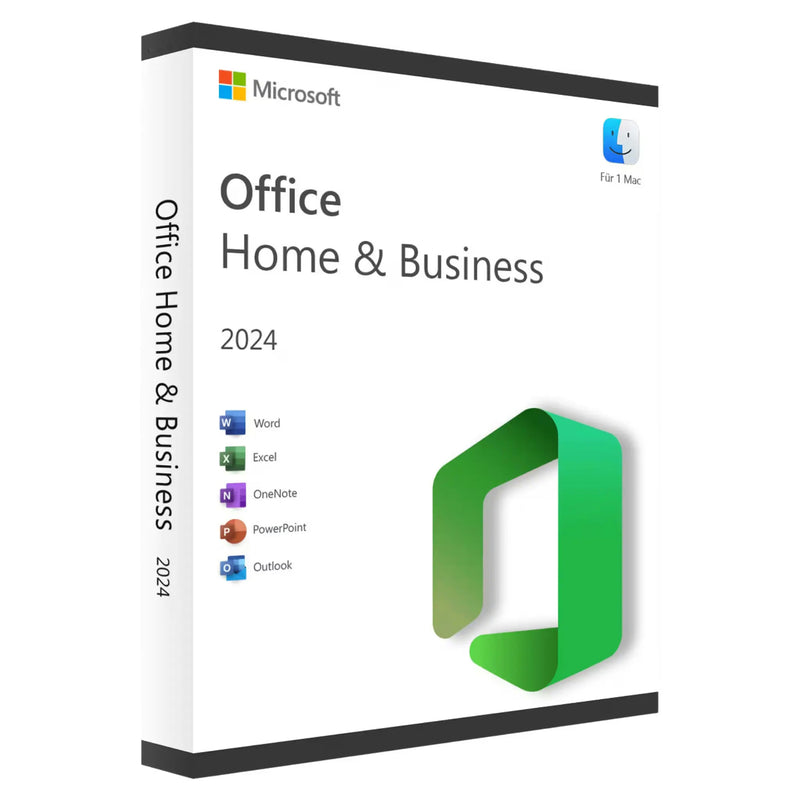

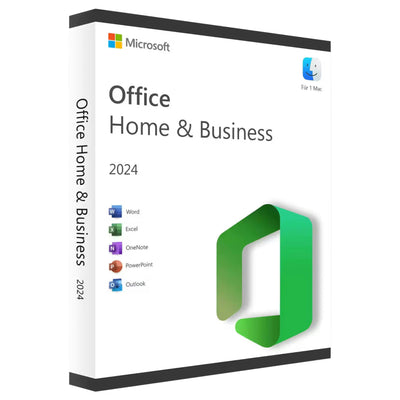
Microsoft Office 2024 Home & Business for Mac – Perpetual License | Instant Download
SALE
39,90 €
-73%
149,99 €
•
You save: 110,09 €
Lowest price in the last 30 days: 18,90 €
✔ Product key instantly via email
✔ 100% legal & unused license
✔ Support guarantee on activation
Buy together
This bundle deal is still available today:
22
HRS
53
MIN
17
SEC
Microsoft Office 2024 Home & Business for Mac – Perpetual License | Instant Download
39,90 €
- Availability
- Instantly by e-mail after payment
- Returns
- 100-day return policy
- One-time payment
- no recurring fees
- Legally verified
- GDPR compliant · EU consumer rights
- Applications
-


- Customer service
- English · daily 8 am–11 pm
- Invoice
- With VAT shown separately


- Brand
- Microsoft
- Download guide
- included in the confirmation email
- Microsoft Partner Center
- Registered · Partner-ID 7018124
- Platform
- MacOS
- Language
- German · Multilingual
- Article number
- 471307
- EAN
- 0196388410415
Choose a product
No products found
⚠️ Important note before you buy: Microsoft Office 2024 for Mac requires at least macOS Sonoma 14. On macOS Monterey (12) and Ventura (13) a fresh installation is no longer possible. Please check your macOS version under Apple menu → “About This Mac" before purchasing.
Microsoft Office 2024 Home & Business for Mac
Microsoft Office 2024 Home & Business for Mac – Perpetual license for 1 Mac
Microsoft Office 2024 Home & Business for Mac as a perpetual license with a lifetime term for one Mac. Word, Excel, PowerPoint, Outlook and OneNote – buy once, use permanently without a subscription. Optimized for Apple Silicon and macOS Sonoma, Sequoia and Tahoe.
Office 2024 Home & Business license with instant delivery by email after payment is received. Includes download link, installation guide and a proper invoice with 19% VAT.
If you want to buy Microsoft Office 2024 for Mac, KARINEX offers you German-language support and a 100-day money-back guarantee. Suitable for self-employed professionals, freelancers, home-office users, students and small businesses who want to buy Office 2024 for Mac – without monthly costs and without a Microsoft 365 subscription.
- License type: Perpetual license, one-time purchase
- Platform: macOS Sonoma 14 or newer
- Term: Lifetime, no subscription
- Delivery: Instantly by email
Note on the license type
This item is a digital perpetual license for Microsoft Office 2024 Home & Business for Mac. Delivery is purely digital by email, without DVD or packaging. The license is activated via your Microsoft account and can be used permanently on one Mac.
What's included with your Office 2024 Home & Business Mac license
- Product key for Microsoft Office 2024 Home & Business for Mac, digital delivery by email
- Download link to the official Microsoft installation file for macOS
- Step-by-step installation guide in German
- Proper invoice with itemized 19% VAT, tax-deductible
- German-language KARINEX support for installation and activation
There is no physical delivery. You will not receive a DVD, any packaging material or a product box.
Included Office applications
Microsoft Office 2024 Home & Business for Mac includes the five most important Microsoft applications for professional use on macOS. With this Office 2024 Home & Business perpetual license you get all of the following programs with their full range of features and no subscription commitment.
- Word 2024: Professional word processing with modern layout features
- Excel 2024: Spreadsheets, pivot tables, dynamic arrays
- PowerPoint 2024: Presentations with new animations and designs
- Outlook 2024: Email, calendar and contacts – deeply integrated into macOS
- OneNote: Digital notes and knowledge organization
- Apple Silicon native: Full performance on M1, M2, M3 and M4 chips
Note: Access and Publisher are not available on macOS – Microsoft offers these programs for Windows only.
Office 2024 Home & Business for Mac in comparison
Which Office edition fits your needs? Here you'll find an overview of the key differences from Office 2024 Home & Student and Microsoft 365.
- Office 2024 Home & Business: Word, Excel, PowerPoint, Outlook, OneNote – perpetual license, usable for business and private purposes
- Office 2024 Home & Student: Word, Excel, PowerPoint, OneNote – without Outlook, for private use only
- Microsoft 365: Subscription model with annual costs, 1 TB OneDrive, Microsoft Teams, always up to date
Office 2024 Home & Business is the right choice if you need Outlook, work professionally and want to avoid a subscription.
Who is Office 2024 Home & Business for Mac suitable for
- Self-employed & freelancers: Complete Office suite with Outlook for business communication, correspondence and accounting
- Home office: Full-featured Microsoft Office for working from home, compatible with corporate file formats
- Private customers: One-time purchase instead of a Microsoft 365 subscription, lifetime license for one Mac
- Students: All the essential programs for studies, term papers, research and academic presentations
- Small businesses: Office 2024 Home & Business for Mac – as an alternative to ongoing Microsoft 365 Business subscriptions
System requirements for Office 2024 Home & Business Mac
Microsoft Office 2024 Home & Business runs on the three most recent major versions of macOS. Microsoft adjusts this list regularly: when a new macOS version is released, support for the oldest version is dropped.
- Operating system: macOS Sonoma 14, macOS Sequoia 15 or macOS Tahoe 26
- Processor: Apple Silicon (M1, M2, M3, M4) or a supported Intel processor
- Memory: at least 4 GB (8 GB recommended)
- Hard drive: at least 10 GB of free space
- Display: 1,280 × 800 pixels or higher
- Microsoft account: required for activation (free)
- Internet: required for download and activation
No longer supported: macOS Monterey (12) – since August 2024 (build 16.88). macOS Ventura (13) – since September 2025 (build 16.101). On these versions Office 2024 can no longer be freshly installed.
Office 2024 runs natively on Apple Silicon without Rosetta translation. Windows users need Office 2024 for Windows.
Installation and activation in 5 steps
Your Office 2024 Home & Business Mac license is ready to use in just a few minutes. The following step-by-step guide walks you through the process.
- Check your email: You will receive the Office 2024 product key and the download link at your email address after payment is received.
- Open your Microsoft account: Sign in at setup.office.com with your Microsoft account or create a new account for free.
- Enter the product key: Enter the 25-character Office 2024 license key to assign the license to your account.
- Download & install Office: Download the macOS installation file and follow the setup assistant.
- Activate: Launch an Office application and sign in with your Microsoft account to complete activation.
Common problems and solutions during activation
In rare cases, problems can occur during Office 2024 Home & Business Mac activation. Here you'll find the most important solutions.
- Product key is not accepted: Make sure you copy the Office 2024 license key exactly from the email – without any spaces before or after the key. Pay attention to upper and lower case. If errors persist, contact our KARINEX support.
- Installation on macOS won't start: If macOS blocks the installation, open System Settings → Privacy & Security and allow the installation file to run. Make sure you have administrator rights.
- Message “This version is not compatible": This message appears on macOS versions that Microsoft no longer supports (Monterey 12, Ventura 13). Update your macOS version to at least Sonoma 14 to install Office 2024.
- Uninstall an existing Office version: Before installing Office 2024, we recommend completely uninstalling older Office versions via the Finder to avoid conflicts.
- Office applications start slowly: On older Intel Macs, the first launch may take a few seconds longer. On Apple Silicon (M1, M2, M3, M4) Office 2024 starts natively and noticeably faster – without Rosetta translation.
Delivery and payment methods
- Delivery: Instant digital delivery of the Office 2024 product key by email after payment is received.
- Invoice: Proper invoice with itemized 19% VAT. Tax-deductible.
- Warranty: Statutory warranty under the German Civil Code (BGB) including a 100-day money-back guarantee.
Payment methods:
- Credit card: Visa, Mastercard, American Express, UnionPay
- Apple Pay: Fast payment via Touch ID or Face ID on your Apple device
- Klarna: Pay by invoice, installments or instant bank transfer
- Local payment methods: giropay, SEPA, WERO, EPS, Bancontact, BLIK, Przelewy24
- B2B invoice: Purchase on account for business customers, payment term 14 days
- Prepayment: Bank transfer – delivery after payment is received
KARINEX customer support
If you have questions about installing or activating your Office 2024 Home & Business Mac license, we are here for you personally – in German, by phone, WhatsApp, email or live chat.
- Service hours: Mon–Sun, 06:00–23:00
- Channels: Phone · WhatsApp · Email · Live chat
- Language: German
Frequently asked questions about Office 2024 Home & Business for Mac
What is the minimum macOS version required?
Microsoft officially supports Office 2024 for Mac only on the three most recent major versions of macOS. As of 2026 these are macOS Sonoma 14, Sequoia 15 and Tahoe 26. For a fresh installation you need at least macOS Sonoma 14. On older versions (Monterey 12, Ventura 13) installation is no longer possible. Check your version under Apple menu → “About This Mac".
What do I get after buying Office 2024 Home & Business for Mac?
You will receive by email the Office 2024 product key, a download link to the official Microsoft installation file as well as an installation guide in German. A proper invoice with itemized VAT is also included.
Do I receive a physical DVD or packaging?
No. Office 2024 Home & Business for Mac is delivered exclusively in digital form. You receive the product key and download link by email – no DVD, no box, no shipping.
On how many Macs can I install Office 2024 Home & Business?
This Office 2024 Home & Business perpetual license is intended for activation on one Mac. For multiple devices you need a corresponding number of licenses.
Does Office 2024 Home & Business work on Windows or Linux?
This license is intended for macOS. Windows users need the corresponding Office 2024 version for Windows. Installation on Linux is not supported.
Does Office 2024 run natively on Apple Silicon?
Yes. Office 2024 runs natively on Apple Silicon (M1, M2, M3, M4) without Rosetta translation. This means higher speed, smoother operation and better battery life on MacBooks.
Do I need a Microsoft 365 subscription?
No. Office 2024 Home & Business is a purchase version with a lifetime license, without monthly fees. You pay once and use Office permanently.
Do I receive security updates from Microsoft?
Yes. Security updates for Office 2024 are provided by Microsoft as part of the official support cycle (until 09.10.2029). Updates are delivered automatically via the built-in update mechanism.
What is the difference between Home & Business and Home & Student?
Home & Business additionally includes Outlook and is also licensed for business use. Home & Student does not include Outlook and may only be used privately.
How is the right of withdrawal handled for digital licenses?
With the provision of the product key, performance of the contract begins. Upon activation of the key, the right of withdrawal lapses pursuant to § 356 (5) BGB. We grant a 100-day money-back guarantee – no questions asked, even if the key has already been activated. The statutory warranty pursuant to §§ 434 ff. BGB remains unaffected.
Can I transfer Office 2024 Home & Business to a new Mac later?
Yes. When changing hardware, uninstall Office on the old Mac and install it on the new device with the same product key. If you have any questions, our KARINEX support will be glad to help.
Legal notices
License type. With your purchase you acquire a digital perpetual license for Microsoft Office 2024 Home & Business for activation on one Mac. The license has an unlimited term (perpetual license, not a subscription).
Form of delivery. Delivery is made exclusively in digital form by email. There is no physical delivery of DVDs, data media or packaging.
System requirement. Microsoft Office 2024 for Mac requires at least macOS Sonoma 14. On older macOS versions (Monterey 12, Ventura 13) a fresh installation is no longer possible. This requirement is based on Microsoft's official lifecycle policy for Office for Mac.
Microsoft support. KARINEX offers you German-language support for installation and activation. Direct technical end-customer support by Microsoft is provided according to Microsoft's terms.
Legality of the trade. The trade in software licenses within the EU is permissible under the ruling of the European Court of Justice (EuGH C-128/11 “UsedSoft/Oracle" of 03.07.2012) as well as subsequent BGH rulings, subject to the principle of exhaustion.
Trademark rights. Microsoft, Office, Word, Excel, PowerPoint, Outlook, OneNote and all associated logos are registered trademarks of Microsoft Corporation. Apple, Mac, macOS and Apple Silicon are registered trademarks of Apple Inc. KARINEX acts as an independent reseller. The brand names are used solely to describe the products being traded.
Right of withdrawal. With your purchase you agree that performance of the contract may begin before the withdrawal period expires. Upon activation of the product key, your right of withdrawal lapses pursuant to § 356 (5) BGB.
NO SUBSCRIPTION
One-time payment, no hidden costs
Instant download
Available immediately after purchase
- Instant download after purchase
- 100% legal & original license key
- Perpetual license – no subscription, no monthly fees
- Easy online activation with guide
- Manufacturer: Microsoft
- Product type: Office Software / Office Programs / Productivity
- Compatible operating system: macOS
- Internet connection for download & activation
- Sufficient free disk space
- See product description for details
Ready to go.
100% legal license keys delivered by email within seconds. Instant download & activation with German support. Legally verified.
Exclusively for you
Wait a moment!
Get 5% off your order – with this code:
Offer valid for 15:00