

Office 2024 Professional Plus vs. Microsoft 365 – Which Is Worth It in 2026?
The short answer
Office 2024 Professional Plus is worth it if you prefer a one-time investment, want to work locally, and don't need constant cloud features. Compared with a Business plan, the one-time purchase already pays off after around eleven months; compared with Microsoft 365 Single, in the second year.
Microsoft 365 is only worth it if you absolutely need OneDrive (1 TB), Teams integration, a new Office update every year, and multi-device use.
For over 80% of SMEs, freelancers, and demanding private users, Office 2024 Professional Plus is the economically superior choice.
What is Office 2024 Professional Plus?
Microsoft Office 2024 Professional Plus is the current full version of the classic Office suite, released in October 2024. It is part of the Long Term Servicing Channel (LTSC). That means: stable features with no forced feature updates, only security patches – guaranteed until October 9, 2029.
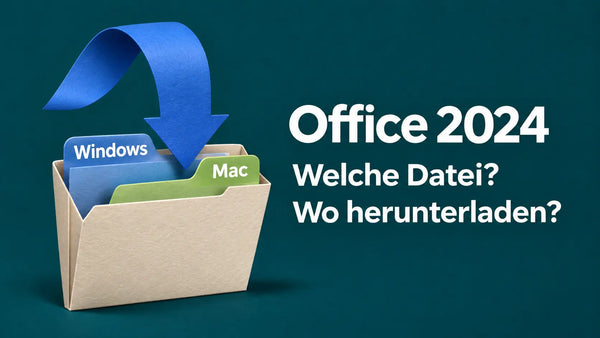
After your purchase, you will find a detailed, illustrated step-by-step guide with download links and troubleshooting on our help page Office 2024 Professional Plus – Downloads & Installation Guide.
You receive a version without a subscription with unlimited duration, installed locally on a Windows PC. The suite includes:
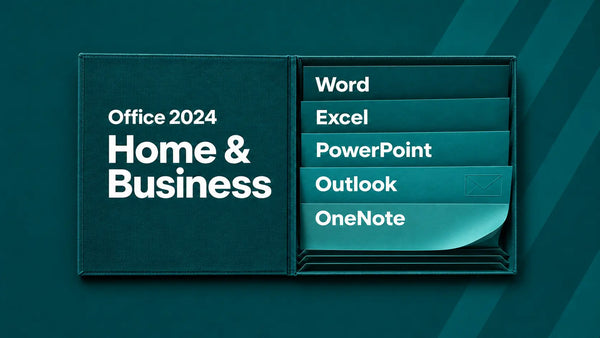
- Word 2024 – word processing with improved layout features and dark mode
- Excel 2024 – spreadsheets with dynamic arrays and LAMBDA functions
- PowerPoint 2024 – presentations with Morph transitions and video recording
- Outlook 2024 – email, calendar, contacts, and tasks in one place
- Access 2024 – desktop database (exclusive to Professional Plus)
- OneNote – digital notebook with full Office integration
At Karinex, you receive the suite as a verified volume key – significantly cheaper than buying new from Microsoft.
What is Microsoft 365?
Microsoft 365 (formerly Office 365) is Microsoft's subscription model: you pay monthly or annually and, in return, get access to the Office apps, cloud storage (OneDrive), Microsoft Teams, and additional services. There are several plans:
- Microsoft 365 Single – approx. €69/year – 1 user, 1 TB OneDrive
- Microsoft 365 Family – approx. €99/year – up to 6 users, 6 TB OneDrive
- Microsoft 365 Business Basic – approx. €5.60/user/month – web apps only
- Microsoft 365 Business Standard – approx. €11.70/user/month – desktop apps + cloud
- Microsoft 365 Apps for Business – approx. €9.80/user/month – desktop apps, no Teams
As soon as the subscription ends, you lose access to all the apps. Your documents remain readable, but can no longer be edited – a decisive difference from a one-time purchase.
The direct comparison at a glance
| Criterion | Office 2024 Pro Plus | Microsoft 365 |
|---|---|---|
| Payment model | One-time – no follow-up costs | Subscription – monthly/annually |
| Usage period | Unlimited | As long as the subscription runs |
| Karinex price | from 9,90 € (one-time) | €69–140/year (ongoing) |
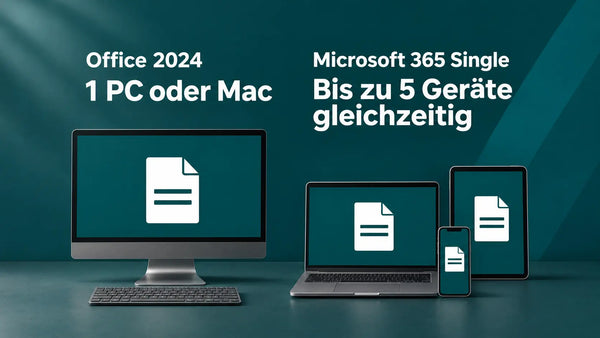
| Number of PCs | 1 PC | 1–6 devices (depending on plan) |
| Cloud storage | Optional (your own cloud possible) | 1 TB OneDrive included |
| Microsoft Teams | Separate (free app) | Fully integrated |
| Data sovereignty | 100% local | Cloud binding required |
| Internet required to use | Not required | Mandatory check every 30 days |
| Feature updates | None (stable LTSC base) | Ongoing, automatic |
| Security updates | Included until 9.10.2029 | As long as the subscription runs |
| Access | Included | Depending on plan |
| Commercial use | Permitted | Depending on plan |
| When changing hardware | Transferable (after uninstalling) | Linked to account |
| GDPR compliance | Local – fully controllable | Cloud-dependent |
Cost comparison over 5 years – the real calculation
The decisive factor when choosing between buying and subscribing is the total cost over the typical usage period. An Office package is used for 5–7 years on average. Let's do the math:
| Variant | Year 1 | Year 2 | Year 3 | Year 4 | Year 5 | Total |
|---|---|---|---|---|---|---|
| Office 2024 Pro Plus (Karinex) | 9,90 € | 0 € | 0 € | 0 € | 0 € | 9,90 € |
| Microsoft 365 Single | 69 € | 69 € | 69 € | 69 € | 69 € | 345 € |
| Microsoft 365 Family | 99 € | 99 € | 99 € | 99 € | 99 € | 495 € |
| Microsoft 365 Business Standard (1 user) | 140 € | 140 € | 140 € | 140 € | 140 € | 700 € |
Your savings with Office 2024 Pro Plus
9,90 € instead of 700 €over 5 years compared with Microsoft 365 Business Standard.
You pay once at Karinex. After that, there are no further costs, while the subscription keeps adding up year after year.
Who benefits from Office 2024 Professional Plus?
The one-time purchase is the right choice if even just one of these points applies:
- You mainly work on one PC or laptop
- You want to pay once and have long-term peace of mind
- You need Access
- Data protection and local data storage matter to you
- You use Office mainly offline or with your own IT infrastructure
- You don't want a dependent subscription model
- You run a law firm, tax office, or medical practice
- You are self-employed or own an SME with a predictable IT budget
Who benefits from Microsoft 365?
Microsoft 365 is the right choice if several of these points apply:
- You regularly work with Office on 3+ different devices
- You absolutely need 1 TB of cloud storage (OneDrive)
- Microsoft Teams is a central part of your daily work
- You want to use Copilot AI features
- You run a larger team and use Microsoft Endpoint Manager
Our clear recommendation
After the direct comparison of all criteria – cost, feature scope, data protection, flexibility – the recommendation is clear:
For over 80% of users, Office 2024 Professional Plus is the economically superior choice.
You save several hundred euros over 5 years, retain full control over your data, and get a proven, stable system without unwanted feature updates. At Karinex, Office 2024 Professional Plus is available as a verified product key – with instant delivery by email.
Ready for Office without a subscription?
Office 2024 Professional Plus without a subscription – 9,90 € once instead of year after year. Instant download by email.
Buy Office 2024 Pro Plus now →Frequently asked questions
How do I install Office 2024 Professional Plus after purchase?
Very simple: you receive your product key and download link by email. You will find a detailed, illustrated step-by-step guide with download links, system requirements, and troubleshooting on our help page: Office 2024 Professional Plus – Downloads & Installation Guide.
Can I switch from Microsoft 365 to Office 2024 Professional Plus?
Yes, without any problem. Cancel your Microsoft 365 subscription, uninstall the Office apps, and install Office 2024 Professional Plus with your Karinex product key. Your documents remain untouched – .docx, .xlsx, and .pptx are fully compatible.
What happens to my OneDrive files when I switch?
Your OneDrive files remain accessible for 90 days after your subscription ends. Download your files locally in time, or sync them with an alternative such as Nextcloud, pCloud, or your own NAS solution.
Does Office 2024 Professional Plus still receive security updates?
Yes. Microsoft guarantees security updates for Office LTSC 2024 until October 9, 2029 – nearly 5 years of free protection included.
Does Office 2024 Professional Plus work on Windows 10?
Technically, yes. However, Microsoft ended official support for Windows 10 on October 14, 2025 – so we recommend switching to Windows 11 Pro for maximum security.
Conclusion
The comparison shows clearly: Office 2024 Professional Plus is the better choice for the vast majority of users. Microsoft 365 has its place for cloud-centric teams and multi-device power users – but if you work in a classic way, want to store data locally, and want to avoid follow-up costs, you are better served with the one-time purchase.
At Karinex, you receive Office 2024 Professional Plus as a verified product key – with instant delivery by email and German-language support. Switch to the buy-once model today and pay once instead of every year.
Further reading: