Contact & help

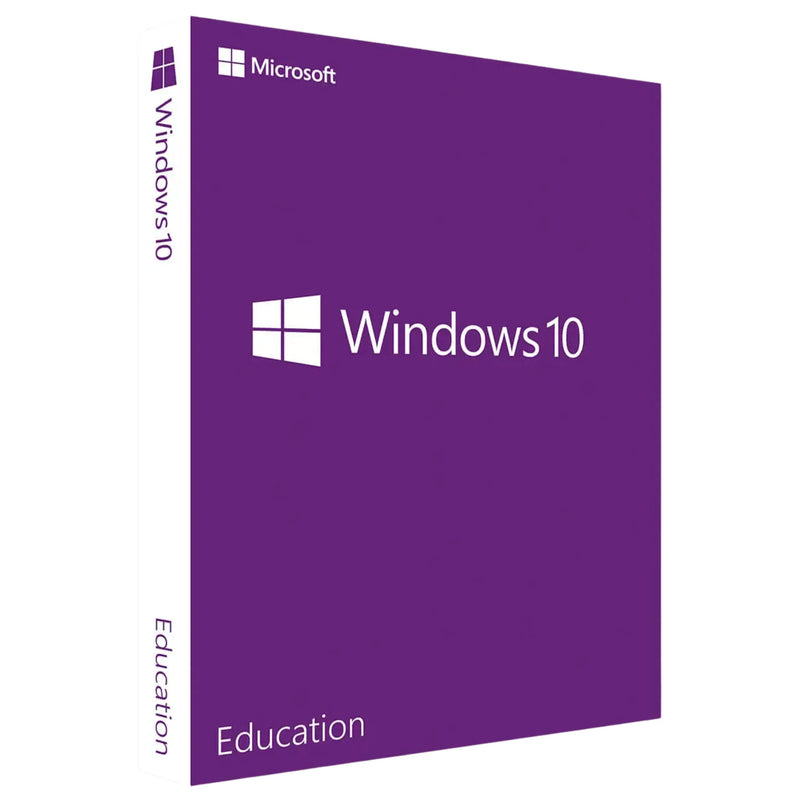


Buy Windows 10 Education at a Low Price – Genuine Licence with Instant Download
Education price
29,99 €
-50%
Lowest price in the last 30 days: 14,99 €
14,99 €
incl. VAT
Instant download
Directly via email
License key via email
Instantly available
14-day return policy
until key delivery
Product description
Microsoft Windows 10 Education
Buy Windows 10 Education at a Low Price – Genuine Licence with Instant Download
Windows 10 Education as an affordable perpetual licence for educational institutions, students, teachers and researchers. Specially developed for use in schools and universities – with the full feature set of Windows 10 Enterprise, optimised for educational environments. Buy once instead of subscribing monthly.
Instant delivery of the Windows 10 Education product key by email after receipt of payment. Includes a download link to the original Microsoft ISO, a step-by-step guide in German and a proper invoice showing 19% VAT.
At Karinex you receive a particularly affordable genuine licence, German-language support, a statutory right of withdrawal (14 days) and a perpetual licence with no subscription commitment.
Licence type
Perpetual licence
Platform
Windows 10 (32/64-bit)
Term
Unlimited, no subscription
Delivery
Instantly by email
Licence type and legal framework
You are acquiring a used, fully exhausted volume licence for Microsoft Windows 10 Education for permanent use on one device. The licence was originally acquired lawfully by an educational institution or a commercial first purchaser under a Microsoft Volume Licensing Agreement.
The conditions for exhaustion pursuant to Section 69c No. 3 sentence 2 UrhG in conjunction with Art. 4 para. 2 of Directive 2009/24/EC are met:
- The first sale took place within the EU with the consent of the rights holder (Microsoft).
- The previous owner has rendered the program copy unusable on their systems (uninstallation and deactivation).
- The licence chain is fully documented and can be disclosed on request (CJEU, judgment of 03.07.2012, C-128/11 “UsedSoft/Oracle”; BGH, judgment of 17.07.2013, I ZR 129/08 “UsedSoft II”).
The product key is an inseparable part of this licence and can be activated once on one device. Simultaneous use on multiple devices is excluded.
More on the legal situation when buying licences: Buying a Windows key – legal or illegal? The complete guide 2026.
Why buy Windows 10 Education from Karinex
01
Genuine Microsoft product key – activatable via the official Microsoft activation servers, verified licence origin.
02
Instant delivery in under 5 minutes – Windows 10 Education licence key by email directly after receipt of payment.
03
statutory right of withdrawal (14 days) – risk-free purchase.
04
German-language Karinex support – by phone, email, WhatsApp and live chat.
05
Proper invoice with 19% VAT – tax-deductible for educational institutions and the self-employed.
06
Secure payment – Klarna, credit card, SEPA, giropay and purchase on invoice.
What your Windows 10 Education licence includes
01
Genuine product key for Windows 10 Education, digital delivery by email
02
Download link to the Windows 10 ISO installation file (genuine Microsoft image, 32/64-bit)
03
Step-by-step installation and activation guide in German
04
Proper invoice showing 19% VAT
05
German-language Karinex support for installation and activation
06
statutory right of withdrawal (14 days)
There is no physical delivery. You will not receive a DVD, USB stick or product box.
What makes Windows 10 Education unique
Windows 10 Education combines the full feature set of Windows 10 Enterprise with special optimisations for educational institutions.
Enterprise features
Full feature set of Windows 10 Enterprise at Education terms
BitLocker encryption
Drive encryption protects sensitive data of students and teachers
AppLocker
Central control over which applications are allowed to run
Group policies
Central IT management in schools, universities and research institutions
Domain join
Integration into existing Active Directory and Azure AD environments
DirectAccess & VPN
Secure remote access to the school network – ideal for hybrid learning
Hyper-V virtualisation
Virtual machines for computer science lessons and software testing
Cortana can be disabled
Disabled by default in the Education edition – data protection compliant
Ideal for educational environments
Windows 10 Education is the right choice when you need a professional working environment for learning and research.
Schools & secondary schools
Computer rooms, teacher laptops and IT management with group policies
Universities
Computer pools, research machines and administrative PCs with domain join
Students
Personal laptops with full Enterprise functionality
Teachers
Secure data management, BitLocker encryption and VPN access
Research institutions
Data-intensive workloads and secure network connectivity
Education providers
Adult education centres, academies and non-profit educational institutions
IT administrators
Central management of multiple devices via Active Directory
Computer science lessons
Hyper-V for virtual machines and software development exercises
Windows 10 editions compared
Which Windows 10 edition suits your requirements? At Karinex you get all editions as an affordable UsedSoft perpetual licence.
Windows 10 Education
Full Enterprise feature set – BitLocker, AppLocker, domain join, DirectAccess for educational institutions
Standard Pro edition with BitLocker and Hyper-V – ideal for SMEs
Windows 10 Enterprise
Edition for large enterprises – functionally identical to Education
Windows 10 Home
Home users – without BitLocker, Hyper-V or domain join
System requirements for Windows 10 Education
Processor
1 GHz or faster, compatible 32-bit or 64-bit Intel/AMD processor
Memory
1 GB (32-bit) / 2 GB (64-bit), 4 GB or more recommended
Hard drive
16 GB (32-bit) / 32 GB (64-bit) free storage space
Graphics
DirectX 9 or higher with WDDM 1.0 driver
Display
800 x 600 minimum resolution
Internet
required for download, activation and updates
Installing Windows 10 Education – guide in 5 steps
A quick overview of the key steps. You can find a detailed guide in our tutorial: Installing Windows – step by step.
01
Check your email – You receive the product key and download link after receipt of payment.
02
Download the Windows 10 ISO – Via the included link or the Microsoft Media Creation Tool.
03
Installation – Create a bootable USB stick or install directly from the ISO.
04
Enter the product key – Under Settings → Update and Security → Activation.
05
Activate online – Connect the PC to the internet for automatic activation.
Karinex customer support
Service hours
Mon–Sun, 08:00–23:00
Channels
Phone · WhatsApp · Email · Live chat
Language
German
Frequently asked questions
Why is Windows 10 Education so affordable at Karinex?
At Karinex you receive genuine Microsoft licences at particularly low prices because we trade used volume licences under the UsedSoft model (CJEU C-128/11). This way you save significantly compared to buying new from Microsoft.
What do I get after the purchase?
You receive by email the Windows 10 Education product key, a download link to the original ISO, an installation guide in German and an invoice with VAT.
Is this a perpetual licence?
Yes. Windows 10 Education is a purchase version with a perpetual licence – without a subscription and without recurring costs.
Do I have to be a student or teacher to use Windows 10 Education?
No. Under the UsedSoft model this is a fully exhausted volume licence that can be used without proof of status. You receive the full feature set without restrictions.
How quickly is delivery made?
After receipt of payment within a few minutes by email. For bank transfers 1–2 working days.
What is the difference between Education and Enterprise?
Functionally, both editions are identical. Education is licensed specifically for educational institutions and is often available on more favourable terms. In the Education standard, Cortana is also disabled by default.
On how many PCs can I install it?
This licence is intended for activation on one PC. Simultaneous use on multiple devices is excluded.
Does the upgrade to Windows 11 work?
Windows 10 receives mainstream support until October 2025. For an upgrade to Windows 11 Education we recommend purchasing a separate licence, provided your hardware meets the requirements (TPM 2.0, Secure Boot).
Is reselling legally permitted?
Yes. The CJEU judgment C-128/11 “UsedSoft/Oracle” of 03.07.2012 as well as BGH I ZR 129/08 “UsedSoft II” confirm the resale of exhausted software licences within the EU. Detailed guide: Buying a Windows key – legal or illegal?
What about the right of withdrawal?
Upon delivery of the key, the right of withdrawal expires (§ 356 para. 5 BGB). The statutory right of withdrawal (14 days) applies – no questions asked, until the key is delivered.
Further recommendations
Complementary products from our range.
Standard Pro edition for SMEs with BitLocker and Hyper-V.
Current Pro edition with state-of-the-art security technology.
Microsoft Office 2021 Professional Plus
Complete Office suite with Word, Excel, PowerPoint, Access and Publisher.
Microsoft Office 2024 Standard
Latest Office generation as a perpetual licence without subscription.
Further links
Legal notes
Licence type. Used, fully exhausted volume licence for Microsoft Windows 10 Education with unlimited term (perpetual licence) for use on one PC.
Form of delivery. Exclusively digital by email, no physical delivery.
Legality. Trade permitted under Section 69c No. 3 sentence 2 UrhG in conjunction with Art. 4 para. 2 Directive 2009/24/EC, CJEU C-128/11 “UsedSoft/Oracle” (03.07.2012) and BGH I ZR 129/08 “UsedSoft II” (17.07.2013).
Trademark rights. Microsoft® and Windows® are registered trademarks of the Microsoft Corporation. These trademarks are used solely to describe the product; no business connection to Microsoft exists. Karinex acts as an independent reseller.
Frequently Asked Questions
- How do I receive my product?
You receive your licence key by e-mail immediately after ordering. - Can I return the product?
The statutory right of withdrawal of 14 days from conclusion of the contract applies to licence keys (§ 355 BGB). It expires with delivery of the key if you expressly agreed to immediate delivery before ordering (§ 356 (5) BGB). - Does the key work immediately?
Yes, you can activate the licence key immediately after receiving it. - Which operating system is the product for?
You can find the supported operating systems in the variant selector above the add-to-cart button.
Delivery & notes
- Digital delivery by e-mail — immediately after payment
- Licence key ready to use immediately
- With delivery of the key, the right of withdrawal expires if you agreed to immediate delivery (§ 356 (5) BGB)
- Problems with activation? Contact customer service
Buy together
This bundle deal is still available today:
23
HRS
51
MIN
08
SEC
Buy Windows 10 Education at a Low Price – Genuine Licence with Instant Download
14,99 €
- Availability
- Instantly by e-mail after payment
- Returns
- 14-day return policy
- One-time payment
- no recurring fees
- Legally verified
- GDPR compliant · EU consumer rights
- Customer service
- English · daily 8 am–11 pm
- Invoice
- With VAT shown separately
- Brand
- Microsoft
- Download guide
- included in the confirmation email
- Microsoft Partner Center
- Registered · Partner-ID 7018124
- Platform
- Windows 11
- Language
- German · Multilingual
- Article number
- 756427
Choose a product
No products found