 Contact & help

Filters
6 items
Sort Topseller
Reduzierung
-
Microsoft Office 2024 Standard for Mac Key – Instant Download -
Microsoft Office 2024 Home & Business for Mac | Genuine License -
Microsoft Office 2024 Home & Business for Mac – Perpetual License | Instant Download -
Buy Microsoft Office 2021 Home & Business for Mac – Perpetual Licence for 1 Mac | Instant Download -
Microsoft Office 2021 Standard for Mac – Product Key & Instant Download -
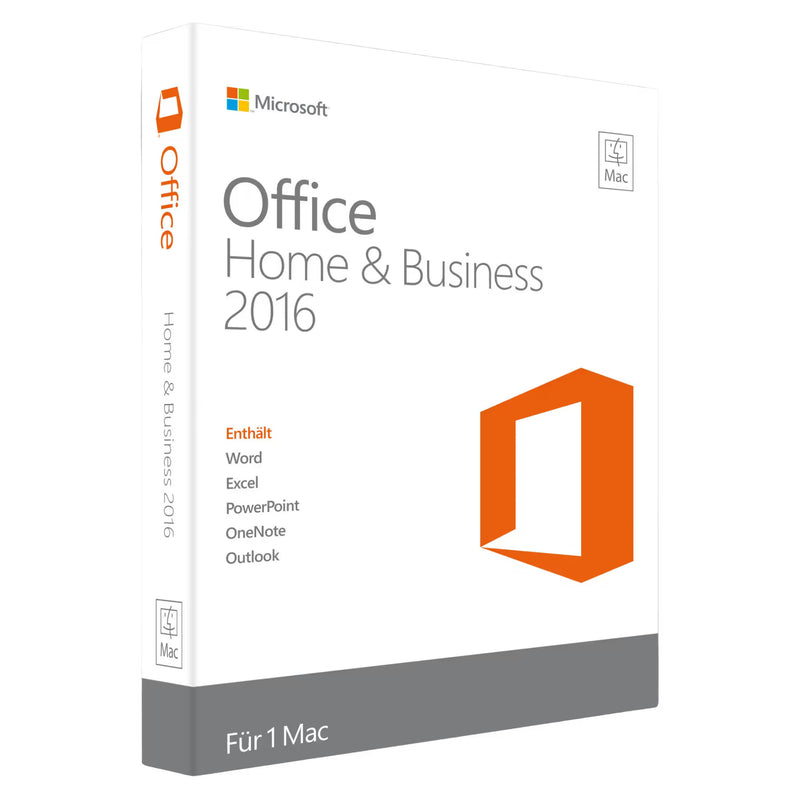
Microsoft Office 2016 Home and Business for Mac







Office for Mac at KARINEX
Microsoft Office for macOS – as a perpetual licence
Word, Excel, PowerPoint and Outlook – the professional Office suite for macOS and Apple Silicon. Native performance on M1, M2, M3 and M4 Macs. Buy once, use forever.
At KARINEX you receive your product key digitally by email – within minutes of your payment being received. Includes a download link, installation guide for macOS and an invoice with VAT shown separately.
Delivery
Instantly by email
Platform
macOS & Apple Silicon
Licence type
Perpetual licence
Guarantee
statutory right of withdrawal (14 days)
Included applications
Depending on the chosen edition, the following Microsoft Office applications for macOS are available:
Word
Professional word processing with native macOS optimisation
Excel
Spreadsheets with Touch Bar support and Apple Silicon performance
PowerPoint
Presentations with seamless integration into macOS
Outlook
Email, calendar and contacts – from the Home & Business edition onwards
OneNote
Digital notebook for ideas, sketches and research
Available versions
We stock current and older Office versions for macOS – suitable for any hardware:
Office 2024 for Mac
Current version – native Apple Silicon support, improved performance and new features
Office 2021 for Mac
Proven perpetual licence – stable, reliable and supported long-term
Office 2019 for Mac
For users who need an older version with proven functionality
Editions at a glance
Microsoft offers various Office editions for different requirements:
Home & Student
Word, Excel, PowerPoint and OneNote – ideal for personal use and studying
Home & Business
Additionally includes Outlook – for the self-employed and small businesses
Standard
Extended Office suite for professional users and businesses
Apple Silicon – native performance
Office 2024 and Office 2021 for Mac are natively optimised for Apple Silicon. This means maximum speed, optimal energy efficiency and full support for M1, M2, M3 and M4 processors. Older Intel Macs continue to be supported as well.
Why buy Office for Mac at KARINEX?
01
Instant digital delivery – product key within minutes by email
02
German-language support – Personal help with installation and activation on macOS
03
Secure payment – SSL-encrypted with Klarna, Apple Pay and more
04
Invoice with VAT – Fully tax-deductible for the self-employed and businesses
05
statutory right of withdrawal (14 days) – for digital licence keys it expires with delivery of the key
Choose your suitable Office version for Mac below. If you have any questions about the right edition, our German-language support is available by email at any time.
Guide: Buying Office for Mac. Versions, Differences and Buying Advice
Microsoft Office runs on the Mac just as seamlessly as on Windows, with native macOS apps and full support for Apple Silicon. Even so, there are a few Mac-specific points worth knowing before you buy, from the available versions through the differences from the Windows edition to activation via your Microsoft account. This guide summarises them.
The Office versions for Mac: 2016 to 2024
Office 2024 for Mac is the current generation, natively compiled for Apple Silicon (M1 to M4) and still fully compatible with Intel Macs. Available as Office 2024 Standard for Mac and Office 2024 Home and Business for Mac, the most sought-after Mac Office in our shop.
Office 2021 for Mac remains the affordable alternative with almost identical everyday functionality: Office 2021 Standard for Mac and Office 2021 Home and Business for Mac.
Office 2019 and 2016 for Mac suit older Macs whose macOS version no longer supports the newer editions, such as Office 2016 Home and Business for Mac. In the interest of honesty: support for both has ended and there are no more security updates; for new installations we recommend 2021 or 2024.
Office on the Mac: the differences from the Windows version
Word, Excel, PowerPoint, Outlook and OneNote are fully featured on the Mac and open the same file formats as on Windows; exchanging documents between the two platforms works smoothly. Two programs, however, exist only on Windows: Access (databases) and Publisher (layouts) have no Mac versions. Anyone who absolutely needs them works on the Mac with a Windows environment or turns to alternatives. For everyone else, the feature set of the Mac editions is equivalent for everyday use, including touch-input details and dark mode in macOS.
System requirements: which macOS do you need?
For Office for Mac, Microsoft supports the three most recent macOS versions at any given time. Office 2024 requires a current macOS version and runs natively on both Apple Silicon and Intel; Office 2021 is correspondingly less demanding. Before buying, briefly check your macOS version (Apple menu, About This Mac) against the details in the product description, and installation will go smoothly. Storage requirements are around 10 GB.
Installation and activation via your Microsoft account
Setting up on the Mac takes three steps: download the installation package directly from Microsoft (link in your delivery e-mail), run the installation, then sign in with your Microsoft account the first time you open an Office app and redeem the product key. The licence is then permanently linked to your account, which has a major advantage: if you later switch Macs or reinstall, you simply sign in again without having to re-enter the key. Nevertheless, please keep the delivery e-mail permanently.
Frequently asked questions about Office for Mac
Does a Windows Office licence also work on the Mac? No. Mac and Windows have separate licences; a Windows key cannot be activated on macOS. You'll find the Windows editions in the Microsoft Office category.
Does Office 2024 work on my M1/M2/M3/M4 Mac? Yes, natively and without detours: the current editions are compiled for Apple Silicon and make full use of the processors. Intel Macs continue to be supported as well.
Is a subscription required? No. All editions listed here are perpetual licences: pay once, use without limit. Anyone who would prefer cloud storage and ongoing feature updates instead can subscribe to Microsoft 365; a comparison of both models is available in our guide Office 2024 for Mac: Home and Business or Standard.
Which language does Office install in? The keys are language-neutral; you choose German, English and other languages during installation or in the apps' settings.
We're continually expanding our Mac range. If you're missing an edition, let us know via live chat; our German-speaking team replies daily from 06:00 to 23:00 (German time).





