


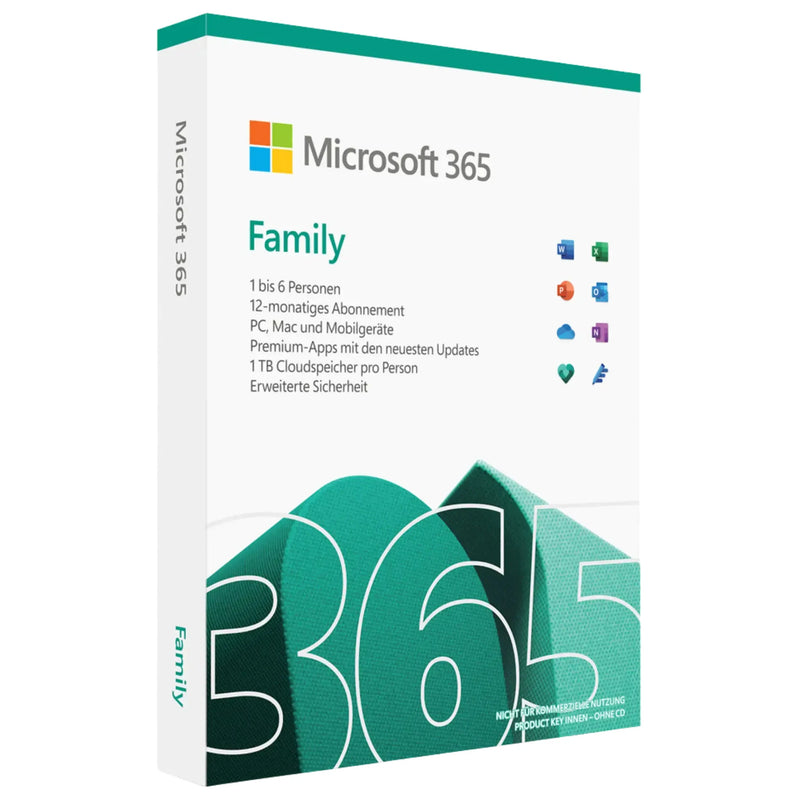

Buy Microsoft 365 Family – 12-Month Subscription for Up to 6 People, 1 TB OneDrive Each
✔ Product key instantly via email
✔ Support guarantee on activation


Buy together
This bundle deal is still available today:
07
HRS
24
MIN
45
SEC
Buy Microsoft 365 Family – 12-Month Subscription for Up to 6 People, 1 TB OneDrive Each
229,90 €
- Availability
- Instantly by e-mail after payment
- Right of withdrawal
- 14 days (statutory)
- Applications
-


- Customer service
- English · daily 8 am–11 pm
- Invoice
- With VAT shown separately


- Brand
- Microsoft
- Download guide
- included in the confirmation email
- Microsoft Partner Center
- Registered · Partner-ID 7018124
- Platform
- Windows · MacOS · iOS · Android
- Language
- German · Multilingual
- Article number
- 056907
Choose a product
Error – please try again
No products found
Microsoft 365 Family
Buy Microsoft 365 Family – 12-Month Subscription for Up to 6 People with Office Apps, Copilot AI and Up to 2 TB Shared OneDrive
Buy Microsoft 365 Family at Karinex as an official annual subscription for up to six people. Each person receives the complete Office apps – Word, Excel, PowerPoint, Outlook and OneNote – with up to 2 TB of shared OneDrive cloud storage, Microsoft Defender and Microsoft Family Safety. Ideal for families and shared households using Office on many devices.
Instant delivery of the activation key by email after receipt of payment – including a German-language step-by-step guide via microsoft365.com/setup and a proper invoice with 19% VAT shown.
At Karinex you receive German-language support and full cost control: this subscription does not renew automatically – after the 12 months expire, you decide for yourself whether to renew.
Important: notes on the subscription model
Microsoft 365 Family is an annual subscription (12 months), not a one-time purchase. Use is tied to one Microsoft account per person. After the term expires, the Office apps switch to read-only mode; existing documents remain accessible. This product from Karinex includes no automatic renewal – you keep full cost control.
After the subscription expires, each person's OneDrive cloud storage is reduced by Microsoft to the 5 GB free quota. Larger amounts of data should be downloaded in good time or secured by renewing.
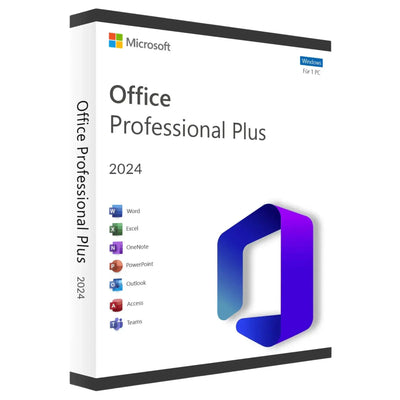
If you prefer a one-time purchase version without recurring costs, Office 2024 Professional Plus is an alternative.
Product type
Subscription, 12 months
Platform
Windows, macOS, iOS, Android
People / devices
Up to 6 people, 5 devices each
Delivery
Instantly by email
Buy Microsoft 365 Family – the flexible annual subscription for the whole family
01
Microsoft activation – activatable via microsoft365.com/setup.
02
Instant delivery in under 5 minutes – activation key by email immediately after receipt of payment.
03
For up to 6 people with up to 2 TB shared – every person with their own account, their own apps and their own cloud storage.
04
No automatic renewal – after 12 months you decide anew. Full cost control, no subscription-trap risk.
05
German-language Karinex support – for activation, account setup and installation.
06
Proper invoice with 19% VAT – tax-deductible if used professionally.
What's included in your subscription
01
Activation key for Microsoft 365 Family, digital delivery by email
02
Access to the desktop apps Word, Excel, PowerPoint, Outlook and OneNote for Windows and macOS
03
Step-by-step guide in German for microsoft365.com/setup
04
Instructions for inviting up to five more people via the Microsoft Family dashboard
05
Proper invoice with 19% VAT shown
06
German-language Karinex support throughout the entire setup
There is no physical delivery. You will not receive any data media or packaging material.
What sets Microsoft 365 Family apart
The complete premium Office apps with Copilot AI, bundled with cloud storage, protection and family features – for up to six people.
Word, Excel, PowerPoint
The complete desktop apps in the latest version at all times
Outlook & OneNote
Email, calendar, contacts and a digital notebook
Microsoft Copilot
AI assistance in the Office apps – included in the subscription at no extra cost
Up to 2 TB OneDrive
Up to 2 TB of cloud storage, shared by everyone
For up to 6 people
Every person with their own account and their own settings
Microsoft Defender
Protection against malware, phishing and identity theft
Microsoft Family Safety
Location sharing, screen time and content filters for the family
Designer & Clipchamp
AI-powered image design and easy video editing
Up to 5 devices per person
Simultaneous use on PC, Mac, tablet and smartphone
Microsoft 365 editions at a glance
Which edition suits your use case?
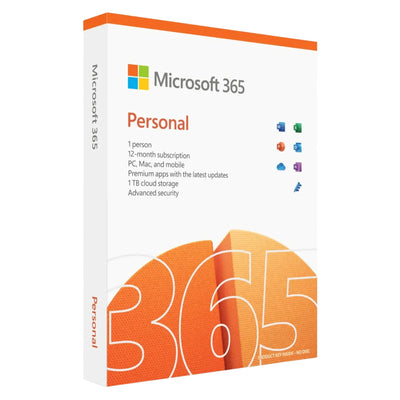
For one person – all Office apps, Copilot AI and 1 TB OneDrive
Microsoft 365 Family
For up to 6 people – up to 2 TB of shared OneDrive
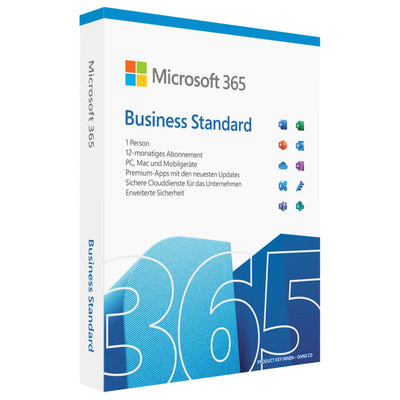
Microsoft 365 Business Standard
For businesses – Office apps, Microsoft Teams and business email with your own domain
Office 2024 Professional Plus
One-time purchase without cloud and without recurring costs
System requirements
Operating system
Windows 11 or Windows 10, macOS (three most recent versions), iOS, iPadOS, Android
Internet
Required for installation, activation, updates and cloud features
Microsoft account
One personal Microsoft account per person required
Devices
Up to 5 devices simultaneously per person (PC, Mac, tablet, smartphone)
Ready in 5 steps
01
Check your email – you receive the activation key and guide after receipt of payment.
02
Go to microsoft365.com/setup – sign in with the subscription owner's Microsoft account or create a new one.
03
Redeem the key – enter the code in the activation field and activate the subscription.
04
Invite people – add up to five more people via the Family dashboard.
05
Install the apps – each person downloads the Office apps and signs in with their own account.
Karinex customer support
Service hours
Mon–Sun, 08:00–23:00 (CET)
Channels
Phone · WhatsApp · Email · Live chat
Language
German
Frequently asked questions
What do I receive after purchase?
You receive by email the activation key for Microsoft 365 Family, a German-language guide to activation via microsoft365.com/setup and an invoice with VAT shown.
How many people is Microsoft 365 Family for?
For up to six people. Each person uses their own Microsoft account with all Office apps. Everyone shares up to 2 TB of OneDrive storage.
Is this a subscription or a one-time purchase?
It is a subscription with a 12-month term. Renewal is required after expiry. If you prefer to pay once, Office 2024 Professional Plus is an alternative.
How much cloud storage is included?
Everyone shares up to 2 TB of OneDrive storage. The Copilot AI features are only available to the person who purchased the subscription.
Is Microsoft Copilot included?
Yes. Microsoft 365 Family includes an AI usage quota for Copilot in Word, Excel, PowerPoint, Outlook and OneNote – at no extra cost.
Does the subscription renew automatically?
No. This product from Karinex includes no automatic renewal. After the 12 months expire, you decide for yourself – no subscription trap and no unwanted charges.
What happens after the 12 months expire?
The Office apps switch to read-only mode, and each person's OneDrive storage is reduced to 5 GB. We recommend downloading larger amounts of data in good time or renewing the subscription.
What about the right of withdrawal?
The right of withdrawal of 14 days applies from conclusion of the contract, even after the key has been delivered.
Further recommendations
Looking for a different option? These alternatives from our range fit depending on your use case.
For one person – Office apps, Copilot AI and 1 TB OneDrive in an annual subscription.
Without a subscription – buy once, no ongoing costs.
All available Office editions and Microsoft 365 subscriptions at a glance.
Legal information
Product type. 12-month subscription (Microsoft 365 Family) for up to 6 people with up to 5 devices each. Activation takes place online via one personal Microsoft account per person. No permanent ownership of the software is acquired.
Delivery form. Exclusively digital by email, no physical delivery.
No automatic renewal. This subscription ends automatically after 12 months with no follow-up costs. We do not charge any recurring amounts.
Data loss after expiry. After the term expires, each person's OneDrive cloud storage is reduced to the 5 GB free quota. Excess data must be backed up in good time. Karinex recommends regular local backups.
Right of withdrawal. The statutory right of withdrawal of 14 days applies from conclusion of the contract, even if we have already delivered the key to you.
Data protection. Microsoft processes personal data in accordance with its own privacy policy. Karinex has no influence on this; processing takes place under standard contractual clauses pursuant to the GDPR.
Trademarks. Microsoft, Microsoft 365, Office, Word, Excel, PowerPoint, Outlook, OneDrive, OneNote, Copilot, Designer, Defender and Clipchamp are registered trademarks of Microsoft Corporation. Karinex acts as an independent reseller.
One subscription for up to six people
When you buy Microsoft 365 Family, you get a practical all-in-one solution for everyday life, the home office and school. The annual subscription is suitable for up to 6 people, so every family member or team member can use their own Microsoft services. Each user works with their own account and benefits from the familiar Office applications such as Word, Excel, PowerPoint and Outlook. This makes it easy to write documents, edit spreadsheets, create presentations and manage email professionally. Shared use makes the subscription particularly attractive for families who want to save costs while staying flexible.
More storage and secure cloud use
A major advantage of buying Microsoft 365 Family is the generous cloud storage. All of the up to 6 people share up to 2 TB of OneDrive storage – plenty of space for photos, videos, projects and important files. With the cloud, content can be easily stored, synchronized and accessed on different devices. This is ideal whether you work on the go, at the office or at home. OneDrive also protects your data with modern security features. Personal and professional files stay well organized and available at all times, without you having to worry about running out of storage.
Productivity on many devices in everyday life
With Microsoft 365 Family you use powerful apps on PC, Mac, tablet and smartphone. This makes the annual subscription particularly practical for families with multiple devices and different requirements. Whether children are doing homework, parents are planning appointments or shared household lists need to be created: the applications are versatile and easy to use. Users also benefit from regular updates, new features and a modern interface, keeping the software up to date at all times. If you want to buy Microsoft 365 Family, you are choosing a reliable solution that brings work, school and organization together clearly.
Why the annual subscription pays off long-term
The Microsoft 365 Family annual subscription offers excellent value for money, especially compared to individual purchases for several people. Instead of buying separate products for each person, you use one shared solution with many features and high flexibility. The one-year term ensures planning certainty and simple management. At the same time, the subscription remains easy to adapt if your family size or needs change. If you want to buy Microsoft 365 Family, you get not only Office programs but also cloud storage, security and convenience in one package – a sensible choice for daily use and long-term value.
Instant download
Available immediately after purchase
Included applications
- WordWrite and format letters, reports and long documents, with spelling and grammar checks.
- ExcelSpreadsheets, formulas and charts for numbers, lists and analysis.
- PowerPointCreate and present slideshows with transitions and speaker notes.
- OutlookManage email, calendar and contacts in one place.
- OneNoteDigital notebook for ideas, meeting notes and research.
- OneDriveCloud storage to back up files and open them on all your devices.
Key features
- Instant download after purchase
- Product key instantly via email
- Compatible operating system required
- Internet connection for download & activation
- Sufficient free disk space

Quick help
Tell us what you want to use the software for and on which device. We will recommend the right product.
Quick help
A photo of the error message or the error code (e.g. 0xC004F074) helps us help you right away. You can attach the photo directly below.
Quick help
You will find step-by-step guides in our guide section. Otherwise, tell us the product and your operating system.
Quick help
For an invoice with company details, please give us your order number, company name and address.
Quick help
Tell us the product and quantity. We will prepare an individual quote for you.
Exclusively for you
Wait a moment!
Get 5% off your order – with this code:
Offer valid for 15:00
Help & support
Frequently Asked Questions
Quick answers about Microsoft products
Answers about:
Still have questions?
We’re happy to help.
What is Microsoft 365 Family?
Microsoft 365 Family is an official annual subscription for up to six people. Each person gets the full Office apps Word, Excel, PowerPoint, Outlook and OneNote with up to 2 TB of shared OneDrive cloud storage, plus Microsoft Defender and Microsoft Family Safety.
How long does the subscription run, and does it renew automatically?
The term is 12 months. This subscription from Karinex does not renew automatically – once the 12 months are up, you decide for yourself whether to renew. That way you keep full control over your costs.
How many people and devices does the product cover?
Microsoft 365 Family covers up to 6 people with 5 devices each, on Windows, macOS, iOS and Android. Use is tied to one Microsoft account per person.
How does activation work?
You activate the key at microsoft365.com/setup – a German-language step-by-step guide is included with your delivery.
What happens once the subscription expires?
After the term ends, the Office apps switch to read-only mode; your existing documents remain accessible. Each person's OneDrive storage is reduced to the free 5 GB allowance – download larger amounts of data in good time or secure them with a renewal.
How quickly will I receive my activation key?
Delivery is fully automatic by email: you'll usually receive your activation key together with the guide and invoice within a few minutes of payment being received – around the clock, including nights and weekends.
How quickly will I receive my product key?
Instantly. Right after your payment is confirmed, your product key is automatically generated and delivered by email usually within about 30 seconds – including the download link and a step-by-step guide.
What if the activation does not work?
Our German-speaking support helps you with the activation via email, WhatsApp or live chat – usually within 10 minutes. Just tell us your order number. Your statutory rights remain unaffected.
Will I receive a VAT invoice for my accounting?
Yes. A PDF invoice with separately listed VAT (19%) is automatically sent with your product key – fully deductible and GoBD-compliant.
How does the right of withdrawal work?
The statutory right of withdrawal of 14 days from conclusion of the contract applies to product keys (§ 355 BGB). This also applies if we have already delivered the key to you.
Customer reviews
Loading reviews
You might also like
Similar products
A quick question about our site
Did you find all the information you needed?
- 0 Very dissatisfied
- 0 Dissatisfied
- 0 Neutral
- 0 Satisfied
- 0 Very satisfied