Contact & help


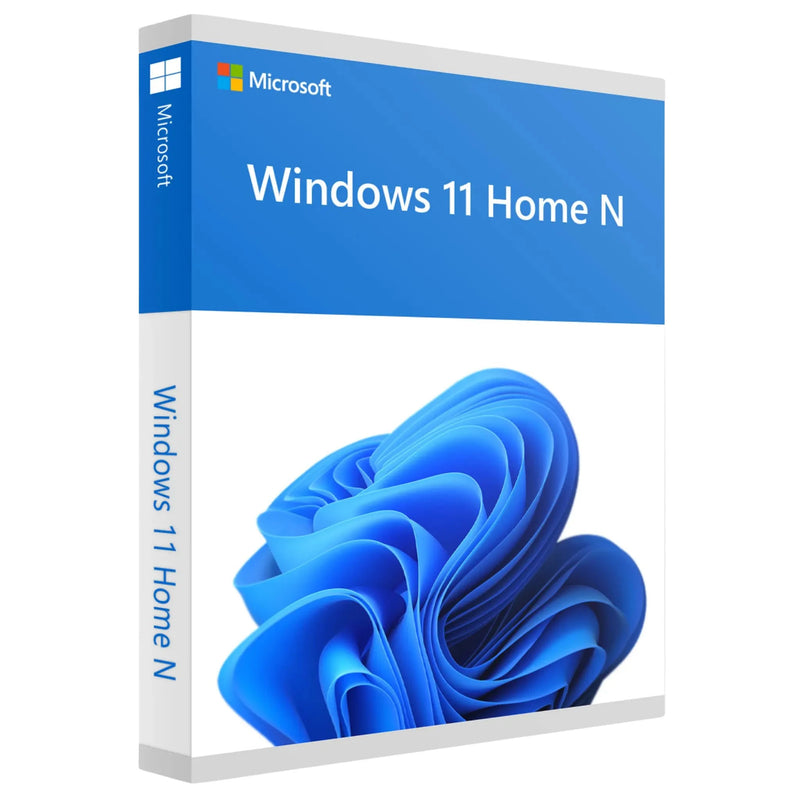

Buy Windows 11 Home N Key – Download for 1 PC
SALE
19,99 €
-23%
25,99 €
•
You save: 6,00 €
Lowest price in the last 30 days: 19,99 €
✔ Product key instantly via email
✔ 100% legal & unused license
✔ Support guarantee on activation
Buy together
This bundle deal is still available today:
03
HRS
39
MIN
53
SEC
Buy Windows 11 Home N Key – Download for 1 PC
19,99 €
- Availability
- Instantly by e-mail after payment
- Returns
- 100-day return policy
- One-time payment
- no recurring fees
- Legally verified
- GDPR compliant · EU consumer rights
- Customer service
- English · daily 8 am–11 pm
- Invoice
- With VAT shown separately
- Brand
- Microsoft
- Download guide
- included in the confirmation email
- Microsoft Partner Center
- Registered · Partner-ID 7018124
- Article number
- 982091
- EAN
- 0889842905328
Choose a product
No products found
Microsoft Windows 11 Home N
Buy Windows 11 Home N Key – Permanent License with Download for 1 PC
Windows 11 Home N is the European Home edition for private users in which certain Microsoft media technologies, Windows Media Player and some pre-installed media apps are not included by default. The remaining Windows features essentially correspond to the standard Home edition.
You receive the Windows 11 Home N product key digitally by e-mail. The license is intended for one PC and is paid for once – with no monthly subscription fee.
Important before you buy: if you want the usual built-in Microsoft media features straight out of the box, Windows 11 Home is usually the more convenient choice. With Home N, missing media components can be added via the Media Feature Pack.
License type
Permanent license (ESD)
Platform
Windows 11 Home N (64-bit)
Term
Unlimited, no subscription
Delivery
Digital by e-mail
One-time payment instead of ongoing costs
Buy once. Use permanently.
Windows 11 Home N is offered at Karinex as a digital permanent license. You pay once and can use the activated license permanently on the intended PC.
Recurring model
ongoing costs
Regular payments
Costs keep accruing
Dependence on an ongoing contract
Karinex permanent license
one-time 19,99 €
Pay only once
Intended for 1 PC
No monthly subscription fee
Windows 11 at a glance
See Windows 11 in action
Official Microsoft video about Windows 11. The Windows 11 interface shown may differ depending on the version and installed updates.
What does “N” mean in Windows 11 Home?
The N editions of Windows essentially contain the same Windows functionality as the corresponding standard editions, except for certain media-related technologies, Windows Media Player and some pre-installed media apps.
If you need these components, you can install the Media Feature Pack afterwards via the optional Windows features. A restart is required after installation.
Home N is therefore not automatically faster, more secure or more privacy-friendly than Home – the key difference lies in the pre-installed media scope.
What is missing in Windows 11 Home N?
The N edition omits parts of the Microsoft media stack. This can affect applications that depend on these Windows components.
01
Windows Media Player and related technologies – certain built-in playback and media features are missing at first.
02
Certain pre-installed media apps – individual Microsoft apps and media features are not available to the usual extent.
03
Media codecs and interfaces – programs may need additional components to fully process audio or video.
04
Individual communication and recording features – depending on the app, Microsoft media technologies may be required.
Why buy Windows 11 Home N from Karinex
01
Digital Windows 11 Home N product key – for the offered license on one PC.
02
Fast digital delivery – product key and download information by e-mail after receipt of payment.
03
Statutory right of withdrawal – 14 days; for digital license keys it expires early once performance begins after your express consent (§ 356 Abs. 5 BGB, German Civil Code).
04
German-speaking Karinex support – assistance with ordering, installation and activation.
05
Proper invoice – for your order in the Karinex shop.
06
Secure payment – with the payment methods available at checkout.
What is included with your Windows 11 Home N license
01
Windows 11 Home N product key, digital delivery by e-mail
02
Download information for the matching Windows 11 installation
03
Instructions for installation and activation
04
Invoice for your order
05
Karinex support for questions about installation or activation
06
License for use on one PC
There is no physical delivery. You will not receive a DVD, USB stick or product box.
What sets Windows 11 Home N apart
Home N combines the familiar Windows 11 Home environment with a reduced set of pre-installed Microsoft media features. For users who specifically need an N edition, the Windows foundation remains fully usable.
Modern Windows 11 design
Centred Start menu, modern interface and streamlined operation.
Snap Layouts
Arrange windows quickly and organise multiple applications clearly.
Microsoft Store
Download and manage apps and additional software conveniently.
Windows Security
Built-in Windows 11 security features for everyday private use.
Gaming foundation
Current Windows gaming platform; individual games may require additional media components.
Media Feature Pack
Missing Microsoft media technologies can be added if needed.
Your own media apps
You can choose your preferred players, codecs and media programs yourself.
Accessibility
Numerous built-in features for more accessible operation.
Who is Windows 11 Home N suitable for?
Home N makes sense if you specifically need the N edition or deliberately want to add the Microsoft media components yourself.
Private users
For everyday use, web, communication and typical personal applications.
Home office
For classic office work, browser, e-mail and productivity software.
School & university
For research, learning software and daily PC tasks.
Existing N systems
When a Windows 11 Home N license is explicitly required.
Deliberate software choice
For users who want to choose media programs and additional components themselves.
Not ideal if …
You want to use all the usual Microsoft media features pre-installed, without any additional steps.
Windows 11 Home N vs. Home vs. Pro
The most important difference between Windows 11 Home N and Home is the pre-installed media scope. Windows 11 Pro is additionally aimed at professional users and offers advanced management and business features.
Windows 11 Home N
Home features with a reduced set of Microsoft media components; Media Feature Pack can be installed afterwards if needed.
The straightforward Home edition with the usual built-in Microsoft media components.
For professional requirements with additional business, management and virtualisation features.
Home N, Home or Pro in direct comparison
For most private users, Home is the most convenient choice. Home N is suitable if the N edition is explicitly wanted. Pro offers additional features for professional use.


Installing the Media Feature Pack
If an app or game needs the missing Windows media technologies, you can add the Media Feature Pack directly as an optional Windows feature.
01
Open Settings – Start → Settings.
02
Go to Optional features – Apps → Optional features.
03
Select the Media Feature Pack – under “Add an optional feature”, view the available features and install the Media Feature Pack.
04
Restart your PC – the restart is required for the Media Feature Pack to be fully applied.
System requirements for Windows 11 Home N
Processor
1 GHz or faster, 2 or more cores, compatible 64-bit processor or SoC
Memory
at least 4 GB RAM
Storage
at least 64 GB of available storage
Graphics
DirectX 12 or later with WDDM 2.0 driver
Firmware
UEFI, Secure Boot capable
TPM
Trusted Platform Module (TPM) 2.0
Display
720p, larger than 9 inches, 8 bits per colour channel
Internet & account
Windows 11 Home requires internet access and a Microsoft account during initial setup; internet is also required for updates and certain features.
Installing Windows 11 Home N – in 5 steps
01
Check your e-mail – retrieve the product key and download information.
02
Install Windows 11 – make sure the correct Home N edition is installed.
03
Enter the product key – Settings → System → Activation → Change product key.
04
Activate online – connect the PC to the internet and check the activation status.
05
Optionally add the Media Feature Pack – only if you or your programs need the missing media components.
Karinex customer support
Service
Help with ordering, installation and activation
Channels
WhatsApp · E-mail · Live chat
Language
German
Frequently asked questions about Windows 11 Home N
What is Windows 11 Home N?
Windows 11 Home N is a variant of Windows 11 Home in which certain Microsoft media technologies, Windows Media Player and some media apps are not included by default.
What is the difference between Windows 11 Home N and Home?
The key difference is the media scope. The standard Home edition comes with the usual Microsoft media components built in; Home N does not.
Can I install the missing features afterwards?
Yes. Microsoft provides the Media Feature Pack for Windows 11 N as an optional feature.
Do I need to restart after installing the Media Feature Pack?
Yes. Microsoft points out that a restart is required after installation.
Is Home N faster than Home?
Not as a rule. The N edition differs mainly in the built-in media scope and is therefore not automatically faster.
Do games work on Windows 11 Home N?
Generally yes. However, individual games or launchers may require Windows media components. In that case, the Media Feature Pack may be necessary.
Is the license for one PC?
Yes. The offered variant is intended for use on one PC.
How do I receive the product key?
The product key and the related information are provided digitally by e-mail. There is no physical shipment.
How do I activate Windows 11 Home N?
Open Settings → System → Activation and enter the product key provided there.
Do I need internet and a Microsoft account?
For the initial setup of Windows 11 Home, Microsoft requires internet access and a Microsoft account. Internet is also required for updates and certain features.
Should I buy Home N or the standard Home edition?
If you specifically need an N edition, Home N is the right fit. If you want as little extra effort as possible and the usual Microsoft media scope, Windows 11 Home is usually the simpler choice.
When is Windows 11 Pro worth it?
If you need professional features such as Remote Desktop as host, Hyper-V or domain join, you should consider Windows 11 Pro.
Further recommendations
Alternatives and matching Microsoft products from the Karinex range.
For private users who want to use the usual built-in media features straight away.
For freelancers, professionals and businesses with additional management and business features.
Microsoft Windows 11 Enterprise
For organisations with advanced requirements for security and central management.
Microsoft Office 2024 Professional Plus
Office suite as the ideal complement for a Windows PC.
Further links
Legal notes
License type. Digital permanent license for Microsoft Windows 11 Home N for use on one PC in accordance with the offered product scope.
Form of delivery. Exclusively digital by e-mail; no DVD, no USB stick and no product box.
Compatibility. Before purchasing, please check whether your device meets the Windows 11 system requirements and whether you explicitly need the N edition.
Trademarks. Microsoft and Windows are trademarks of the Microsoft group of companies. The trademarks are used solely to describe the product offered.
NO SUBSCRIPTION
One-time payment, no hidden costs
Instant download
Available immediately after purchase
- Instant download after purchase
- 100% legal & original license key
- Perpetual license – no subscription, no monthly fees
- Easy online activation with guide
- Manufacturer: Microsoft
- Product type: Windows Operating Systems
- Compatible operating system: Windows
- Internet connection for download & activation
- Sufficient free disk space
- See product description for details
Ready to go.
100% legal license keys delivered by email within seconds. Instant download & activation with German support. Legally verified.
Exclusively for you
Wait a moment!
Get 5% off your order – with this code:
Offer valid for 15:00